Tutorial Four
2026-10-24T23:59
Goals
- Learn how to build a basic particle system
- Get some practice working with physical simulation
Getting started
- Start a new repository by accepting the assignment.
- Clone the repository to your local computer (in your shell, type
git cloneand the name of the repository)
Task
For this tutorial, you are going to make a basic particle system and ultimately make it rain.
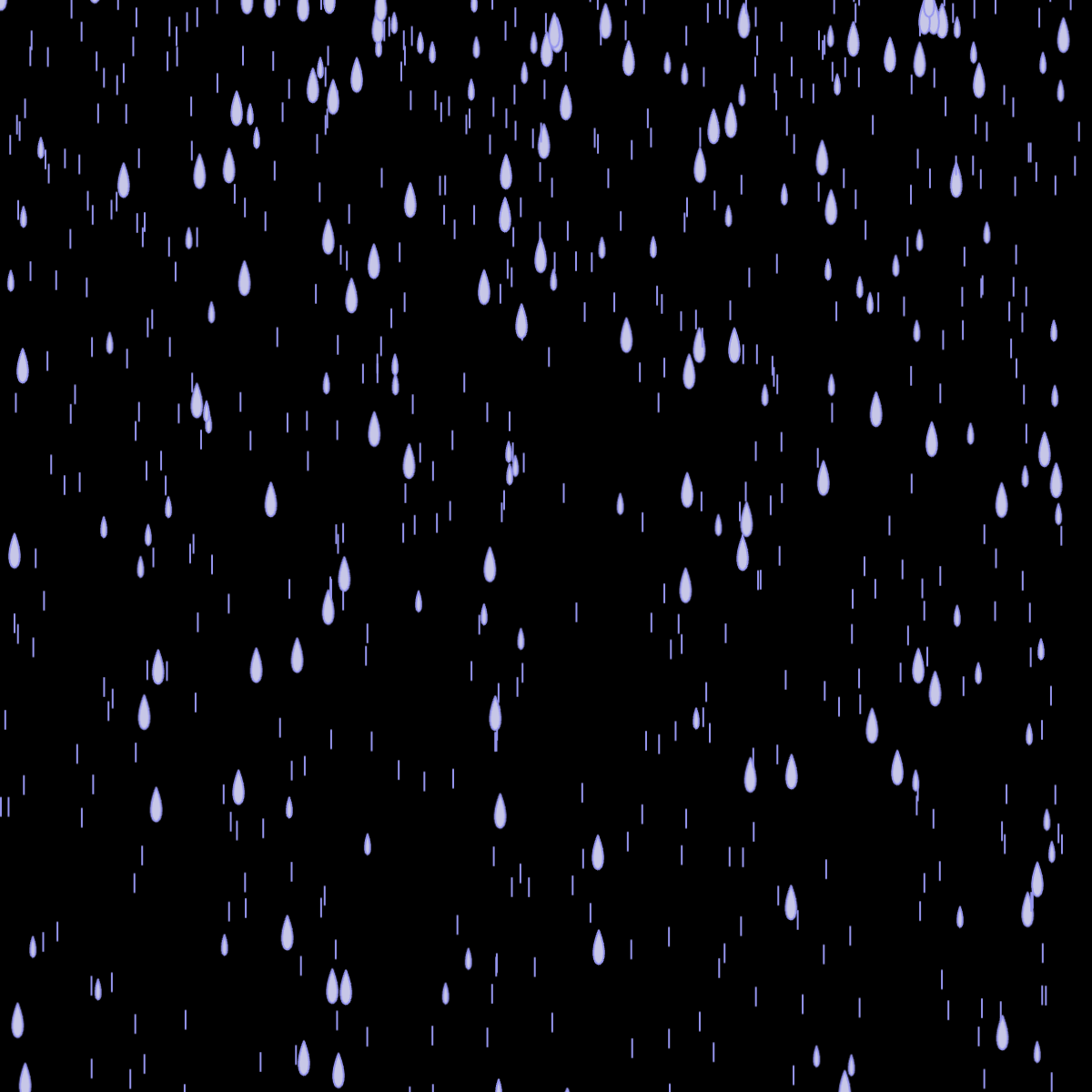
Links to the references for the included functions can be found at the bottom.
Part 0: Read over the code
For this tutorial, I’ve not given you a blank sketch. I’ve started you off with a collection of things from our class examples, though I’ve added some classes to help us organize things.
ParticleSystem
The ParticleSystem is going to be the top level system manager. It contains a list of the particles and the emitters (more on those in a moment).
The main methods you need to worry about are step, which is where we do all of the management and update tasks, and draw, which iterates over the particles and draws them all. I’ve already added calls to these in the main draw function.
Emitter
In most (not all) particle systems, we will have emitters that constantly produce new particles. There are a lot of different possible emitter configurations. We will be building a simplistic but fairly flexible emitter. We won’t use all of its features, nor will we take advantage of the fact that we can make several of them.
You will be responsible for the emit function, but for right now we can look at the parameters of the constructor to understand how we are thinking about the emitter working.
Parameters:
The position is the placement of the emitter in the space.
The rate is the average number of particles we want to emit per second. Basing emission off of the clock instead of emitting a fixed number per frame means that we should have a steadier number of particles in play.
The length is how we are going to think of the “size” of the emitter. Many emitters are point sources, but we are going to allow for a horizontal line of length length. The idea being that particles could emerge from anywhere along the line.
The angle is the angle we want to emit the particles at. The spread will be the measure of how close we adhere to that angle. (we will be using randomGaussian).
The strength is how much of an initial push we want to give to our particles as they are emitted from the emitter. Sometimes it will make sense for this to be zero, and we rely on other forces in the system to move our particles around, and sometimes it makes sense for them to get a little initial boost.
Particle
This is just the Ball class from the in class example. I’ve removed the mass since we won’t need it and renamed it, but that is about it.
SpriteSheet
This is the code we developed in class for making a sprite sheet. I have just wrapped it in a class.
Part 1: Add a life timer to the particles
Just as with our ants, we are going to add a life property to our particles. This is important because we are going to be constantly making new ones, so we want to make sure that the old ones go away.
In Particle.constructor give the particle a life variable and set it to a random number between 200 and 500. In the update method, decrement this number.
We will let the ParticleSystem do the actual management of the particle, so find the comment that reads “remove dead particles” in the step method.
We can use a simple filter call to clear out the dead:
this.particles = this.particles.filter(p => p.life > 0);The filter function takes in a function and returns a new array. The function will be called on every element of the array. If the function returns true, then the element is added to the new array.
This does mean that we are constantly making new arrays, which is generally frowned upon for performance reasons. There are more advanced techniques that reuse particles, or just move them to a part of the array where they won’t be used. However, in my testing, the heavily optimized filter function was actually the fastest for our scenario (at least on my system). Since it is the easiest to implement, we won’t go into the common optimizations now.
No. For our rain, it would be enough to look at when the particle has left the screen. Some systems may have a fixed number of particles and we never want them to go away. We are using the life timer because it is a very general approach that will work in many situations for us, but it is by no means the only approach.
Part 2: Emit particles
We will start by hooking up the emitter. To emit particles, the ParticleSystem is going to call the emit method of each of its emitters. We will pass the list of particles and let the emitter add more particles to it.
Find the comment in the ParticleSystem’s step method that says “add new particles”. Iterate over the system’s emitters and call their emit method, passing in this.particles.
Now go to the emit method in the Emitter.
Create a new variable called count and set it to 3.
Write a loop that runs count times. Inside, create a new Particle, saving it in a variable, and then push it onto particles. Pass the x and y components of the emitter’s position as arguments to the new particle.
Now we can add an emitter to the system. In setup, add the following:
system.addEmitter(new Emitter(width / 2, height / 2, 10, 0, 3 * PI / 2, 0, 1));This adds an emitter in the center of the canvas. It should emit 10 particles per second straight up (\(\frac{3 \pi}{2}\)) from the center with a force of strength 1.
Run this. You should get a red ball in the center of the screen.
There are no forces in our system yet and we didn’t actually add the code that would give the particle an initial kick.
Firing the particle
To “fire” the particle out of the emitter, we want to give it an initial force.
Use randomGaussian with the angle and spread to generate an angle. This will be the direction we will fire the particle.
Get a vector based on that angle using p5.Vector.fromAngle. This will give us a normalized vector so we can consider it to be pure direction.
Use the vector’s mult method to multiply in the emitter’s strength.
Now when you run it you will see the red circle grow up to the top of the canvas. All of the particles are being created and are drifting upwards, but there are so many of them that they are all overlapping. Change the spread to PI/6. Now you should see them bloom outwards.
Note that this does not restrict the spray to within PI/6 of our angle. We are using that as the standard deviation of the Gaussian. We can still conceptually fire a particle in any direction. We would have to add some more constraints if we want a hard control on the emission cone.
To get the particles to fire off from our line, add a random number between 0 and length to the x property of the new particle. You will need to change the length that was passed in when you created the Emitter. Set it to a number like 100 to see the effect.
Changing the rate
We passed in a 10 as the rate, but it isn’t being used yet. We have been using the 3 instead.
Start by getting the current number of milliseconds since the Unix epoch with const now = performance.now();.
Notice that we have this property I didn’t mention earlier called lastTime which was initialized with the current time as well. Our goal is to figure out how many seconds have elapsed since the last time we emitted anything.
Create a new variable called seconds and set it to the number of elapsed seconds, which you can get by subtracting the lastTime from the current time and dividing by 1000.
You can now properly calculate count as being the number of seconds times the rate.
Don’t forget to update lastTime to the new current time.
Yes, it is. The problem is that our frames are coming so quickly that count is less than 1. The for loop still runs once, because count is still greater than 0, so we end up adding at least one particle every frame.
Our solution will be to accumulate this fractional amount and apply it on the next frame.
Create a new property called leftover in Emitter.constructor and initialize it to 0.
When you compute the count, add leftover to it.
Now, we can recompute leftover as count % 1 to get the fractional amount.
Finally take the floor of count to remove the fractional piece.
This should mean that the for loop only runs for particles that we are ready to emit, and we will not forget the partial particle we will owe in the future.
Part 3: Adding forces
Find the comment that says “apply forces” in the step method. That is where we will add our forces.
Gravity
Let’s add some simple gravity. We can do the same thing that we did in the physics example. Since there is no mass in the particles, we can go back to our first simplistic approach.
const force = createVector(0, .06);
this.particles.forEach((particle) => {
    particle.applyForce(force)
});
Now the particles should cascade down.
Turbulence
To provide more realistic movement, we will add some air turbulence.
Our turbulence is going to work like the directions to the ant, we are going to consult with noise. This will give us randomness, but particles in the same neighborhood should be affected in similar ways.
Seeing the turbulence can be difficult with the number of other random things going on. Set the spread on your emitter back to 0, so things fall straight down.
Create variables for turbulenceScale and turbulenceStrength. Start with both of these at 0.3.
Create another loop over the particles. For each particle, generate a noise value based on the particle’s position. Use frameCount for the third noise dimension so the pattern will change with time. Use turbulenceScale for all three parameters.
Multiply the result by PI and then add PI to that. This is your direction. Create a vector from it with fromAngle and then multiple it by turbulenceStrength.
You should now have a pretty interesting looking particle flow.
Part 4: Make it rain
To make it rain, move the emitter to (0,0) and stretch it across the entire width of the canvas.
Now we want to draw the raindrops. Go to the Particle class and add a sprite property in the constructor. Set it with random([0,1,2]), which will randomly pick one of our three sprites.
In the draw method of the particle, take out the circle drawing code and draw the sprite instead.
Our emitter is currently firing the rain up and then gravity pulls it back down. With the sprites, the larger drops are briefly visible before they go up.
To fix this, you can turn off the upward force. However, this causes raindrops to blink into existence at the top. Fix this by moving the emitter up above the canvas by another 20 pixels.
I think this looks best if there are more of the straight line drops. You can change the frequency of different drop types by adding the number into the random array more times. I added 0 in 5 more times so that 6 out 8 times I get the thin line.
Once you have this complete, spend some time playing with the parameters. What happens as you change the rate? What effect does the turbulence strength and scaling have?
Finishing up
- Add and commit your changes and push those commit(s) to GitHub.
- Submit your repository to Gradescope
References
Links to the reference pages for the functions you will be using:
background
bezier clear
createCanvas
createVector
fill
image
imageMode
line
noise
p5.vector
push
pop
random
randomGaussian
stroke
translate