CS 467 - Lecture 10
Noise
We like randomness because it adds complexity and surprise into our work
We have already talked about some of the issues with using randomness directly. Randomness is too chaotic for many purposes.
There are a number of processes that seem random, but they aren't completely random -- there is a correlation between events
For example, the ridge line of a mountain is random, but any particular point is influenced by the points on either side of it
Strictly speaking, we have to acknowledge that nothing in nature is truly random -- they are complex The ridge line was formed by tectonic pressures and erosion from the weather
So, many times when we reach for randomness, we are really looking for a shortcut to approximate a complex system of forces
The problem comes because pure randomness isn't the best model Natural phenomenon have coherence on a local level
We have seen one approach to this, thinking in terms of small amounts of random variance from a pervious value
Another approach would be to use a statistical model, like a Markov chain
The solution we are going to talk about today is noise
Original and most popular form of noise is Perlin noise, created by Ken Perlin (he developed it for Tron, for which he won an Oscar)
Like our pseudorandom number generators, a noise function returns values between 0 and 1
It works by generating random numbers at fixed points in the domain and then processing the values to create a continuous function across the entire domain
We know that behind the scenes, our random number generator is really just spitting out numbers in a sequence. Imagine we could access that sequence at any point -- to look between the numbers
Generating noise
We can start by looking at a graph of random values this is also a good moment to look more closely at our inadequate random function we developed earlier
Our fake random sequence has some obvious glitches -- why?
We are going to use our fake random generator now, just because we have the ability to enter in values
Simple version
For values in between the integers, we do linear interpolation
const noise1 = (i) =>{
	const f = i % 1;
	const x = Math.floor(i);
	return lerp(fakeRandom(x), fakeRandom(x+1), f);
}
using the grapher, we can see the difference -- we went from chaos to a coherent line
it has to be admitted, however, that the spikes are unaesthetic This is caused by our doing linear interpolation between the points
Advanced version
We can make a curve that goes through the points
We can do this by varying the parameter we pass to the interpolator so it isn't linear
AS with the other curves, we are using polynomials to create this curve
We can use a Hermite interpolation
const noise2 = (i) =>{
	const f = i % 1;
	const u = (3 - 2 * f)*f*f // Hermite interpolation "smoothstep"
	const x = Math.floor(i);
	return lerp(fakeRandom(x), fakeRandom(x+1), u);
}
Or we could use Perlin's equation
const noise3 = (i) =>{
  const f = i % 1;

  const u = ((6 * f - 15)* f + 10) * f * f * f; // Perlin smooth step
  const x = Math.floor(i);

  return lerp(fakeRandom(x), fakeRandom(x+1), u);
}
Multi-dimensional noise
Noise functions are frequently used to create textures, so we need them to work in multiple dimensions
To get 2D noise, imagine we have a grid of random numbers and we are interpolating from one point to another Again, we don't use liner interpolation, we will use a cubic so that we get smooth interpolation
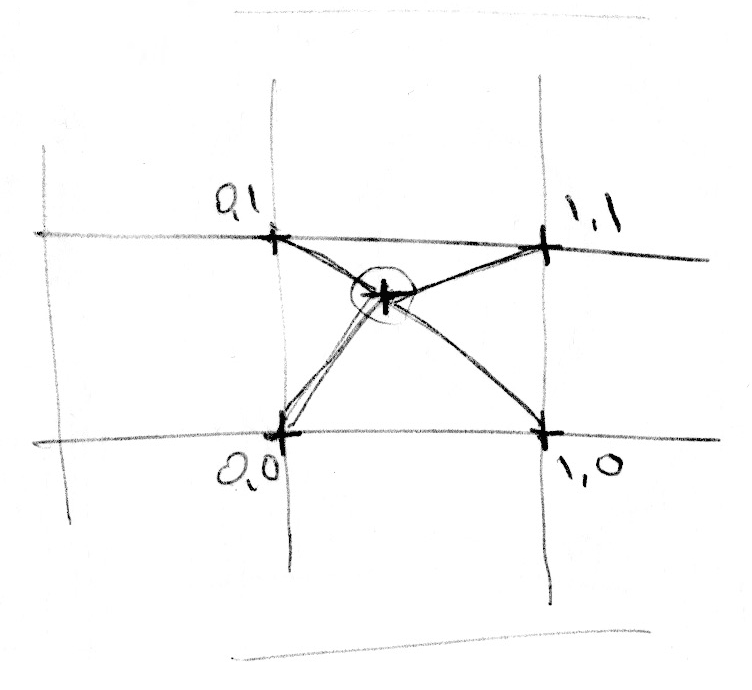 (from The book of Shaders)
To get 3D noise, we will do the same, but we will be interpolating between the eight points of a unit cube
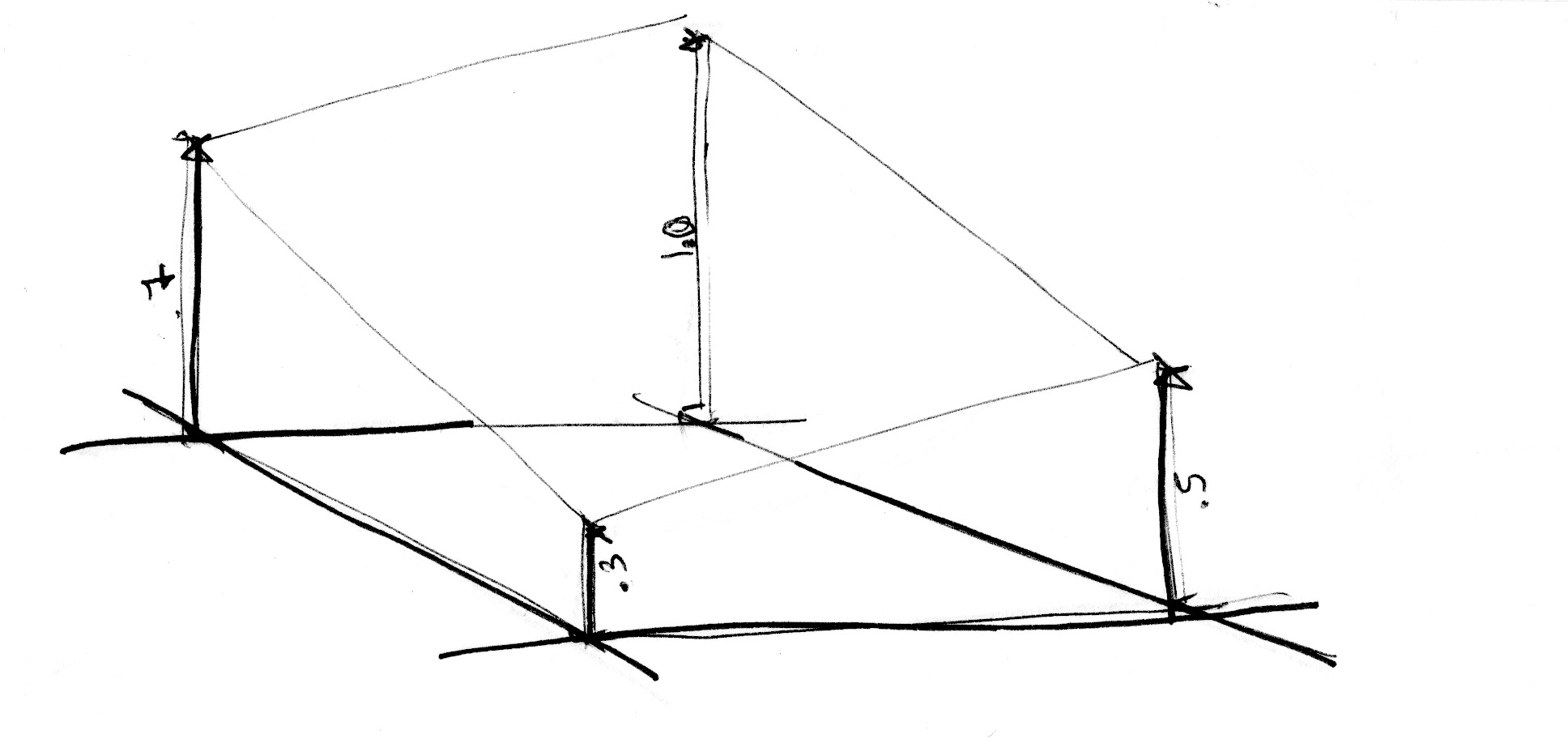 (from The book of Shaders)
The benefit of these, is that we get smooth transitions in every direction
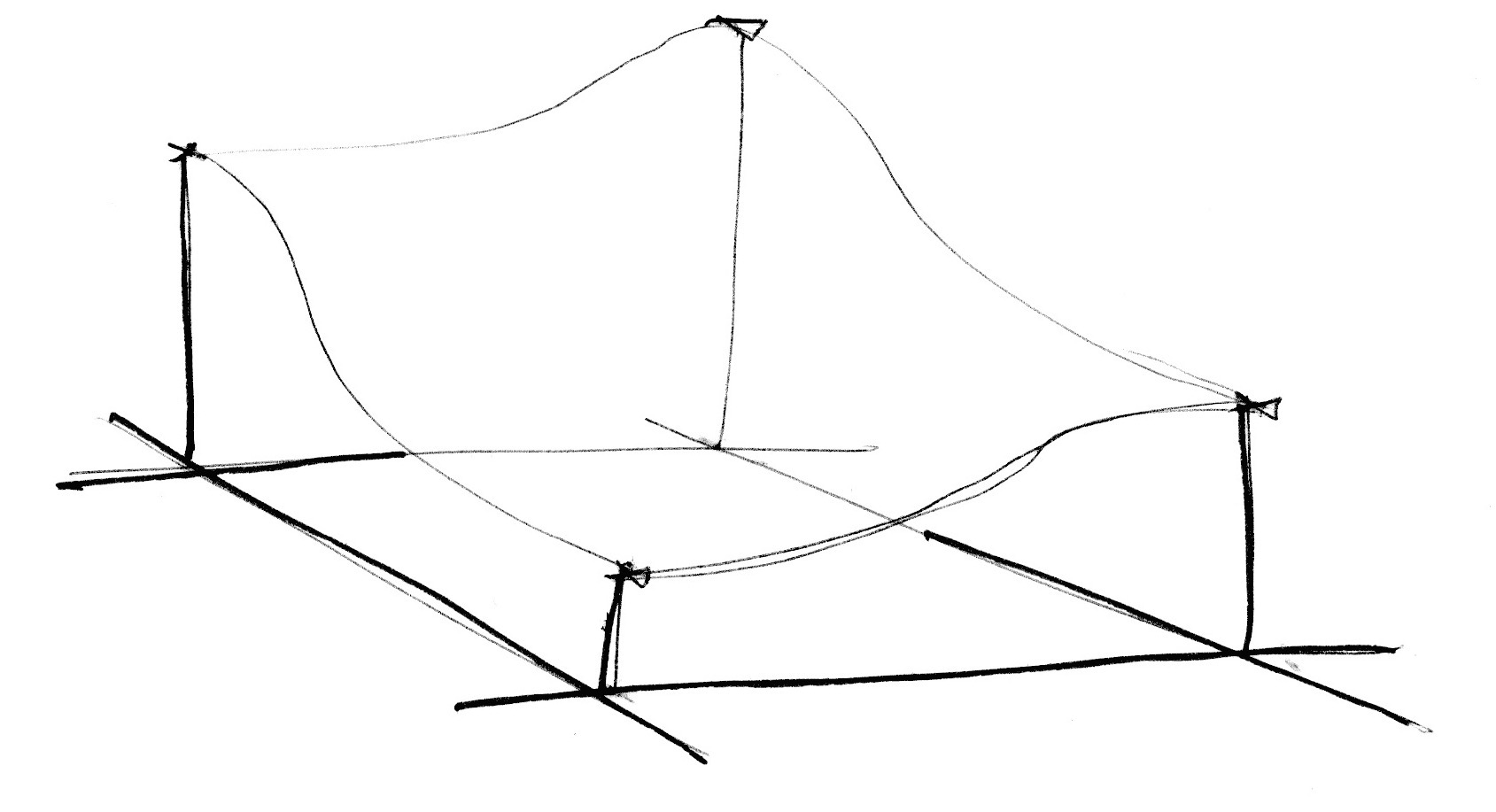 (from The book of Shaders)
This approach gives us something called value noise We get a better effect with gradient noise, which interpolates gradients (basically direction vectors) instead of values
Examples
Noise field
We can start by looking at a representative of the output of the noise
This is just a collection of rectangles colors using the noise function
We are looking a 2D noise field -- basically just plugging in the x, y coordinates to noise()
The noise function takes 1, 2, or 3 arguments to generate 1D, 2D or 3D noise
I added a feature that allows us to drag the field around so we can see it is essentially an infinite field
It isn't much to look at at this scale As we zoom in, we can see that we are getting more and more local, creating smoother transitions
Note that zooming in is done outside of the noise function, we are just scaling the x,y coordinates to cover different ranges
We also have another function for controlling the noise: noiseDetail()
To understand this, we need to realize that we can think of a random sequence as having a frequency
Noise is made up of a collection of these sequences at different frequencies, each a double of the last -- so they are referred to as octaves
By default, our noise function uses 4 octaves, each one contributing 50% less that the one before
Using noiseDetail(lod, falloff) we have some control over that
lod- number of octaves, more gives us more detailfalloff- how much each octave contributes relative to the one before it
Clouds
It doesn't take much to take this noise field to make clouds
Lava
Changing the colors around and we can make some lava
Deforming a circle
Our examples up to this point have just been coloring rectangles, but we can use noise for all kinds of things, like this example that deforms a circle
Fabric
One of my favorite effects is making fabric like textures
here we just have a collection of horizontal lines that we make by making small steps with x across the page. At each point we consult the noise function with the x and y value and then permute the y position by the noise
To get the movement, we take advantage of the third argument I tend to think of this as a stack of 2D noise fields. We can move up and down between the fields, and there will be a coherence between the different levels, which gives us the relatively smooth animation
Terrain generation
Terrain generation is a place where we see a lot of the use of Perlin noise
Note that this isn't 3D noise -- it is 2D noise. We are using the x and y coordinates to generate a noise value, and we use the noise value as the height
Last updated 03/16/2023